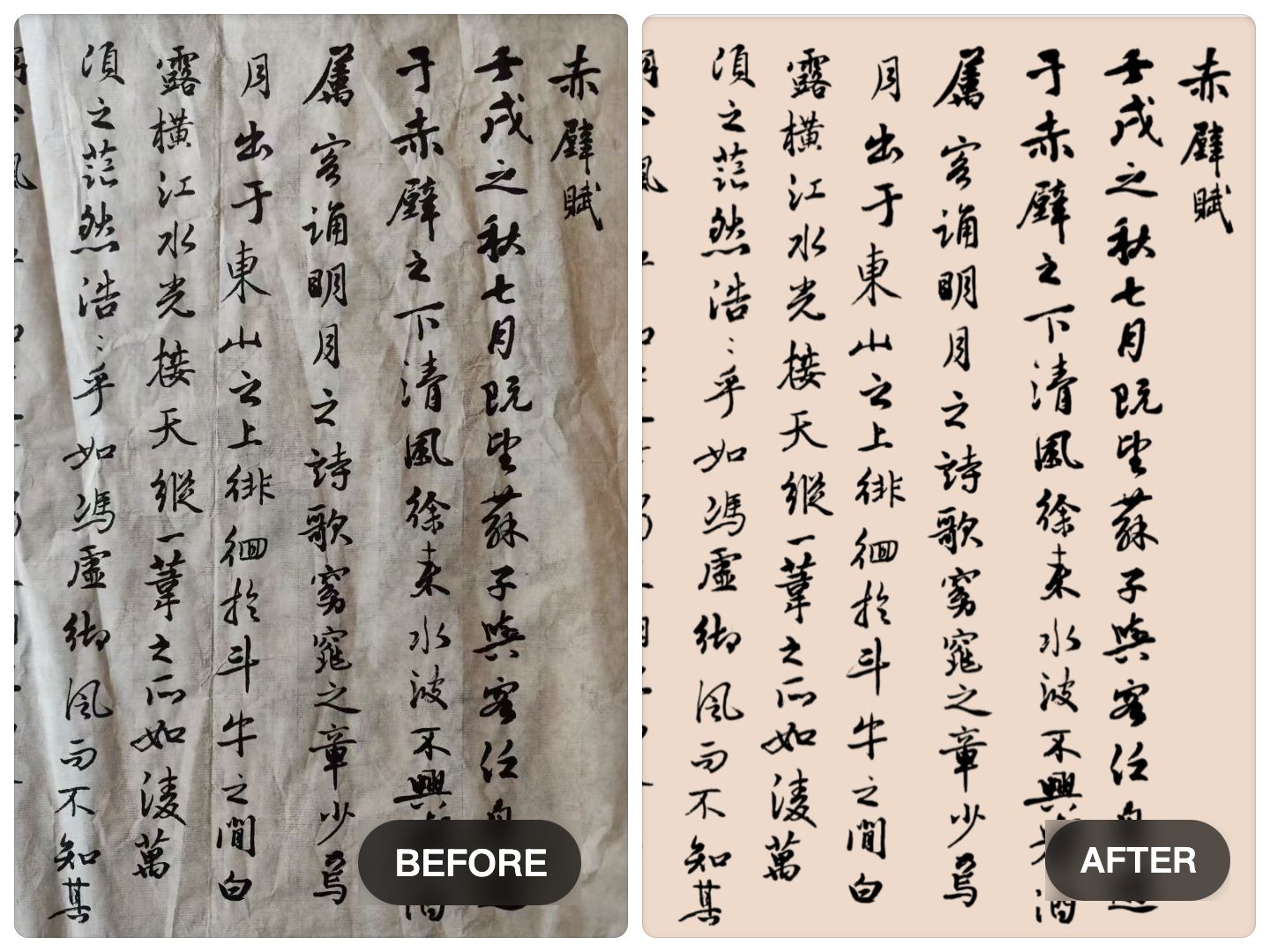
If you need to remove the background from a simple signature, many tools can do the job quickly. But when the image contains calligraphy, handwritten text, brush lettering, or characters on a complex background, the task becomes much more difficult.
That is where users often start comparing tools.
A general background remover may work well for people, products, or isolated objects. But calligraphy is different. It is made of thin strokes, broken edges, dry-brush texture, fading ink, and subtle details that can easily be lost during extraction.
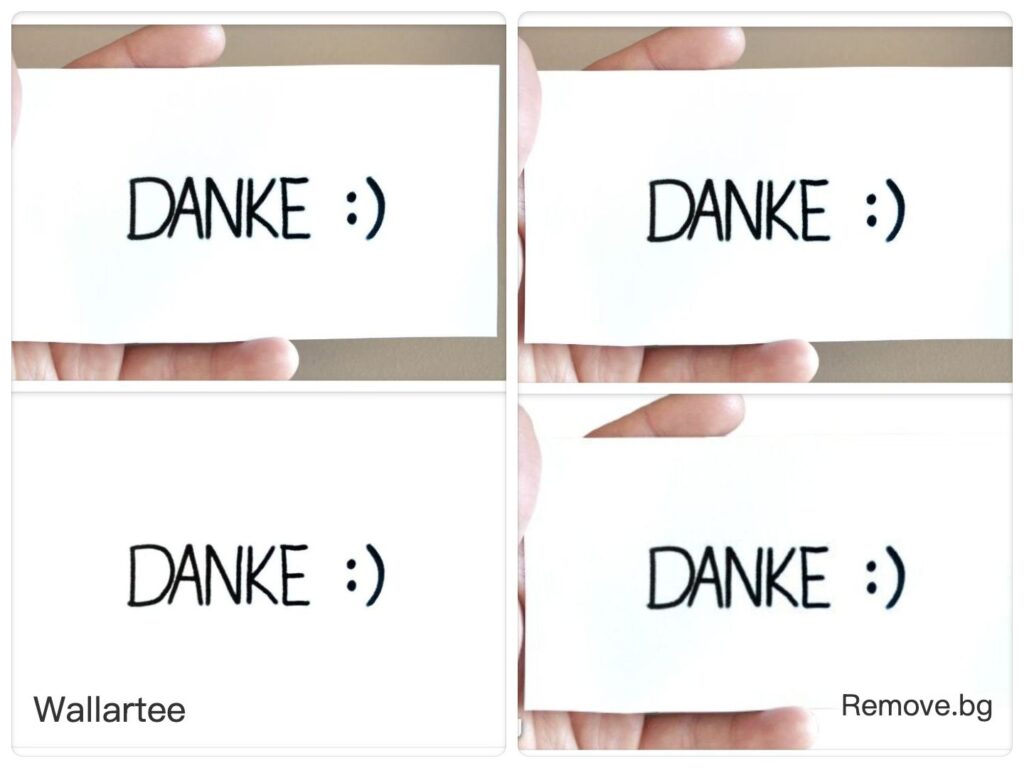
In this article, we compare Wallartee vs remove.bg for calligraphy background removal, and explain when a general tool may be enough and when a more specialized text-focused workflow makes a visible difference.
Why calligraphy is harder than ordinary background removal
Most background removal systems are designed around a simple assumption: there is a clear subject and a clear background.
That assumption works well for:
- people
- products
- pets
- simple objects
- logos on clean backgrounds
But calligraphy does not behave like a normal cutout subject.
Instead, it often includes:
- extremely thin stroke endings
- uneven ink density
- broken brush texture
- textured paper or fabric
- folds, wrinkles, and shadows
- low contrast between writing and background
- characters embedded in real-world scenes
That means the challenge is not just removing the background. The real challenge is preserving the writing.
What remove.bg does well
How to Remove Background from Handwriting and Calligraphy
remove.bg is fast, well known, and convenient for straightforward use cases.
It often works well when:
- the subject is visually clear
- the background is simple
- you need quick results
- the task is a basic transparent cutout
- the writing is large, bold, and isolated
For example, if you are extracting a dark signature from a clean white page, remove.bg may be enough.
That kind of workflow is simple:
- upload the image
- remove the background
- export a transparent PNG
For many users, speed is the main priority, and for simple cases that can be perfectly acceptable.
Where remove.bg can struggle with calligraphy
The problem appears when the writing is more fragile or the background becomes more complicated.
In those cases, general background removal logic may struggle with:
Thin strokes
Very fine lines may disappear or become incomplete.
Broken ink texture
Dry-brush effects, natural gaps, and textured ink marks may be mistaken for background noise.
Complex surfaces
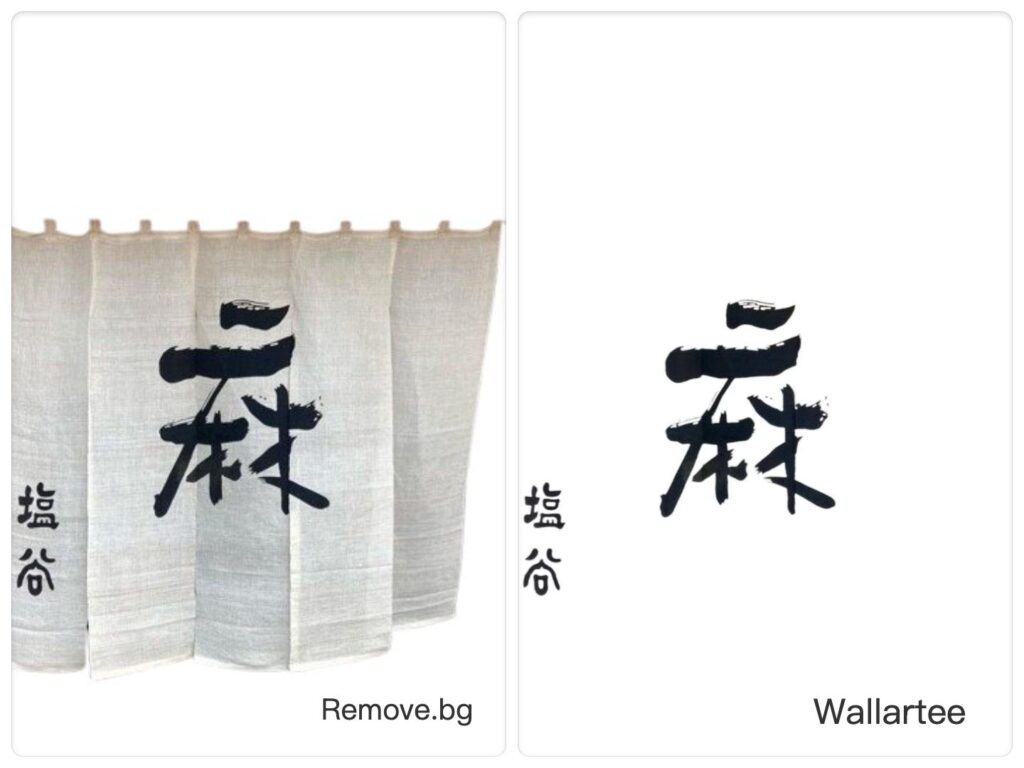
If the writing appears on textured paper, fabric, signs, storefront curtains, or wrinkled surfaces, separation becomes harder.
Edge residue
The extracted text may still carry bits of shadow, paper tone, or rough halos.
Loss of natural character
Even if the writing remains readable, it may lose the living feel of real brushwork.
This is the key difference between removing a background from an object and extracting meaningful text from a difficult image.
Why Wallartee is different
Wallartee is better suited for situations where the goal is not simply to isolate a subject, but to extract text and calligraphy cleanly enough for presentation and reuse.
That matters when you want to preserve:
- fine brush endings
- stroke rhythm
- handwritten character
- natural ink edges
- reusable transparent text for design, framing, or display
Instead of treating calligraphy like a generic shape, Wallartee is a better fit for text-focused extraction, especially when the image includes visual interference.
This becomes especially useful for:
- Chinese calligraphy
- Japanese lettering
- handwritten titles
- signatures with delicate line variation
- brush text on textured material
- photographed writing in real-world scenes
A practical comparison: what to look at
When comparing Wallartee vs remove.bg, do not only look at the full image at small size.
Zoom in and inspect these five things:
1. Stroke endings
Are thin tips still present, or have they been clipped away?
2. Broken brush texture
Are dry-brush gaps preserved naturally, or have they been flattened or erased?
3. Edge cleanliness
Do you see gray halos, paper fragments, or shadow residue?
4. Character integrity
Does the extracted writing still feel like the original, or has it become stiff and artificial?
5. Reuse quality
Does the result still look clean when placed on a white, black, or colored background?
These details matter far more than a first glance.
Real-world scenarios where Wallartee performs better
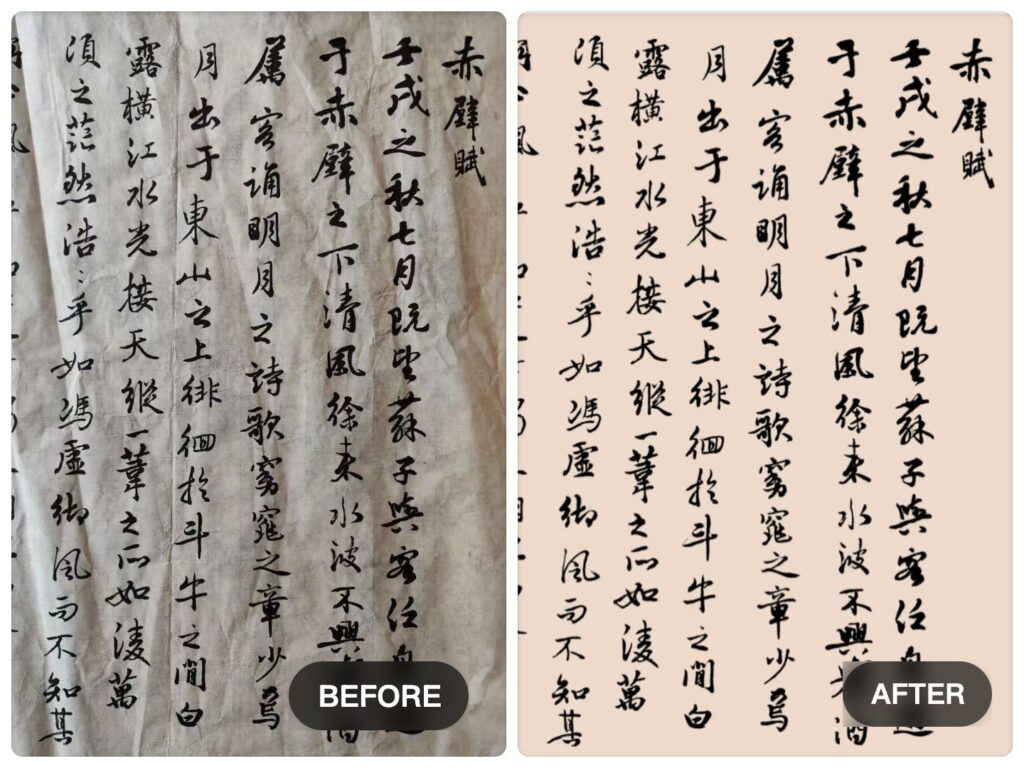
Calligraphy on wrinkled paper
Wrinkles and folds can confuse general background removal. Wallartee is a better option when the goal is to cleanly extract the writing without carrying over the paper noise.
Text on storefronts or signs
If the writing appears on a Japanese shop curtain, signboard, or textured real-world surface, the background is often visually busy. This is a harder extraction problem than a normal studio image.
Handwritten text for design reuse
If you want to place extracted writing onto a poster, mockup, portfolio page, or website header, cleaner edges become much more important.
Artistic brush lettering
Decorative lettering often depends on stroke quality. A rough extraction may damage the entire visual effect.
When remove.bg is enough
To be fair, remove.bg can still be a reasonable choice when:
- the image is simple
- the text is thick and clear
- the background is plain
- you need something quick
- perfect stroke preservation is not important
For example, a basic signature or bold text on clean paper may not require anything more advanced.
When Wallartee is the better choice
Wallartee becomes the stronger choice when:
- the text is fine or fragile
- the background is complex
- the paper is wrinkled or textured
- you care about preserving brush detail
- the result will be used in a polished design
- the writing needs to look professional in presentation
In other words, when quality matters more than just speed, the difference becomes much easier to see.
Why this matters for artists, designers, and calligraphy users
For many creative users, background removal is only the first step.
After extraction, the writing may be used in:
- framed artwork presentations
- online portfolios
- exhibition materials
- product mockups
- social media visuals
- website banners
- printed promotional material
In all of these cases, rough edges and missing strokes become highly visible.
That is why calligraphy background removal should not be judged only by whether the background disappeared. It should be judged by whether the writing still looks convincing, clean, and ready to present.
Final verdict: Wallartee vs remove.bg
If your use case is simple and speed is the only priority, remove.bg may be enough.
But if you are working with calligraphy, delicate handwriting, brush lettering, or text on a complex background, Wallartee is the better choice.
The difference is simple:
- remove.bg is good for general background removal
- Wallartee is better for extracting writing that needs to keep its detail and character
When the goal is not just cutout, but presentation-quality text extraction, that difference matters.
FAQ
Is remove.bg good for calligraphy?
It can work for simple cases, especially when the writing is bold and the background is clean. But for fine strokes, textured paper, or complex backgrounds, it may lose detail or leave messy edges.
What is the best remove.bg alternative for calligraphy?
If your goal is to preserve stroke quality and extract text more cleanly from complex backgrounds, Wallartee is a stronger choice.
Why is calligraphy harder to extract than a signature?
A signature is usually shorter and simpler. Calligraphy often contains more texture, finer details, and more variation in stroke shape, which makes background removal more difficult.
Can I use extracted calligraphy on new backgrounds?
Yes. Once exported as a transparent PNG, it can be placed on posters, websites, portfolio layouts, mockups, and other design surfaces.
What should I compare when testing two background removal tools?
Look closely at thin strokes, broken ink texture, edge cleanliness, background residue, and how natural the final writing still feels.
Leave a Reply