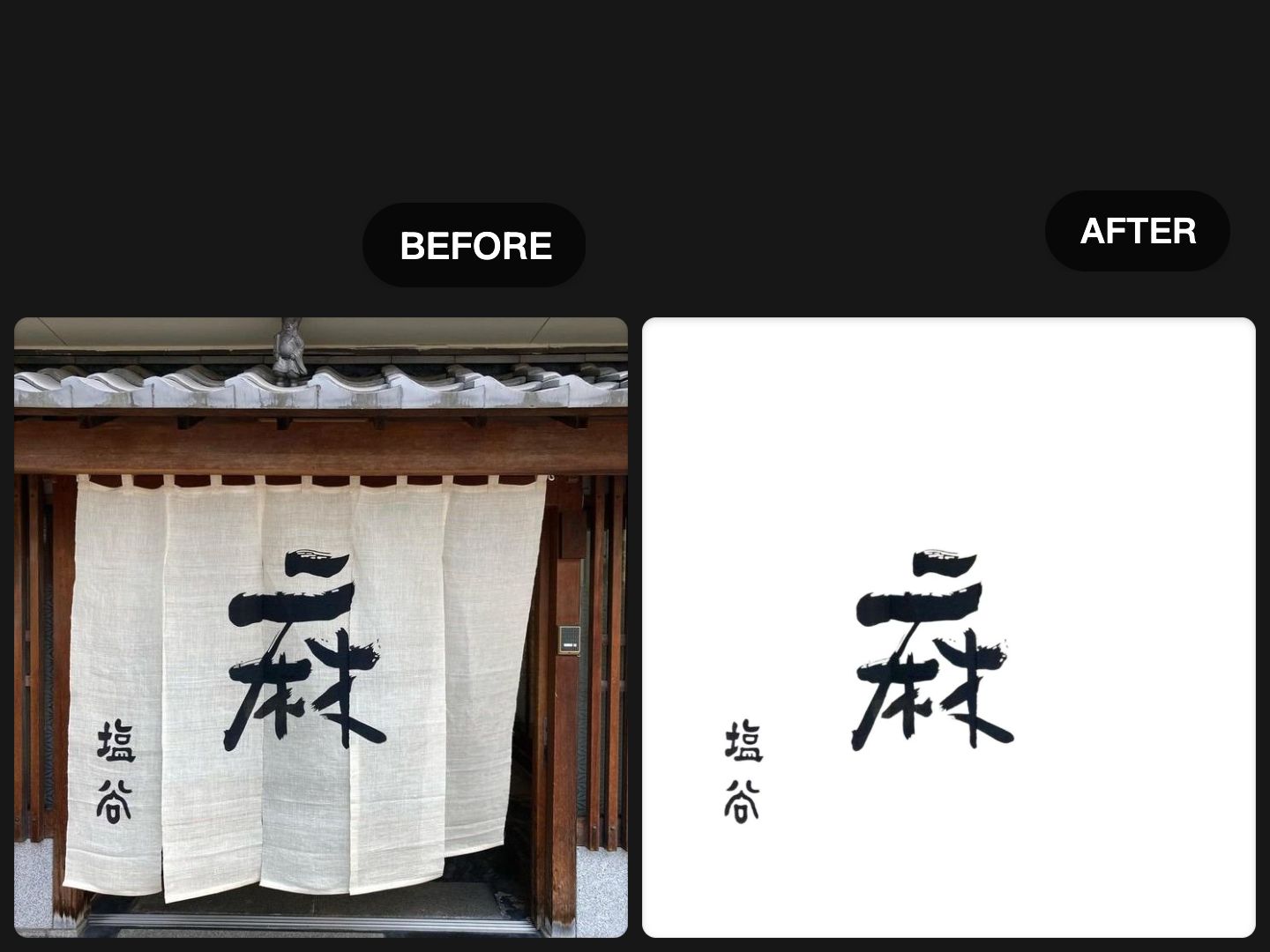
Removing the background from a signature is easy in simple cases. But removing the background from handwriting, calligraphy, or text on a complex surface is a different problem.
A lot of background removal tools are built for people, products, or clearly separated objects. Some also offer dedicated signature workflows, and other tools now market text or handwriting background removal directly. That tells us something important: users are not only trying to remove backgrounds from objects anymore. They also want to isolate letters, strokes, ink marks, and handwritten details for design, documents, branding, and art presentation.
If you are working with calligraphy, handwritten notes, signatures, titles, brush lettering, or ink text photographed on textured paper or busy backgrounds, this guide will show you what makes the task harder and what to look for in a better tool.
Wallartee vs remove.bg for Calligraphy Background Removal
Why handwriting and calligraphy are harder than normal background removal
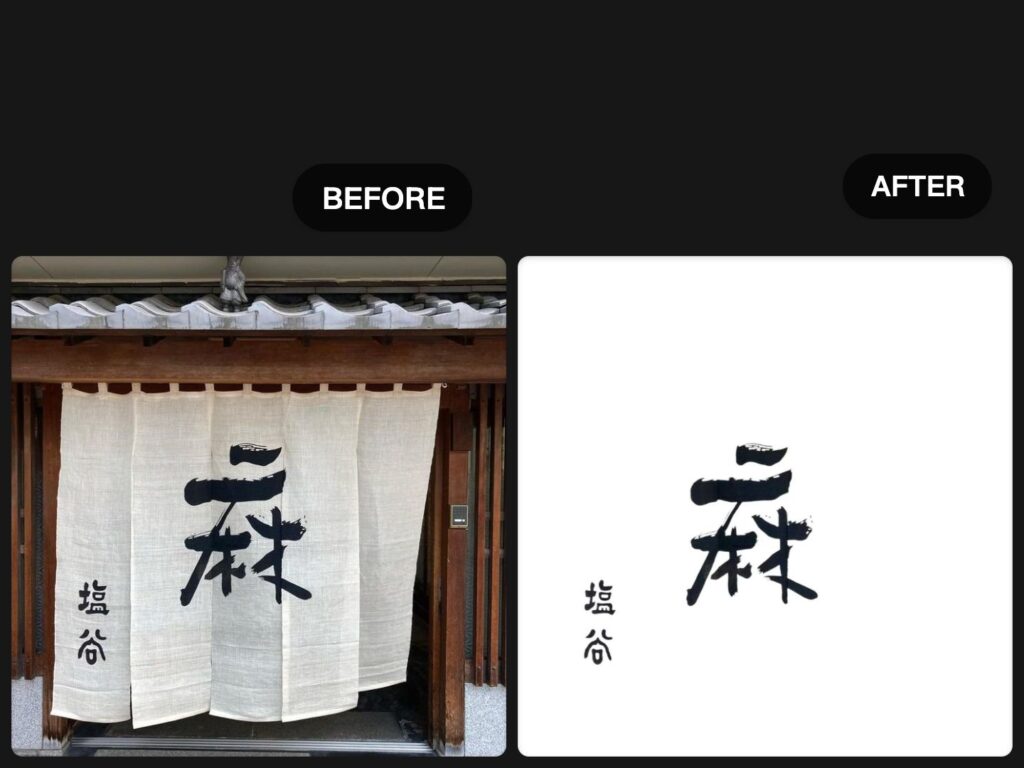
A portrait or product usually has a clear outer edge. Handwriting and calligraphy do not.
When you try to remove the background from handwriting, the difficult part is not just detecting the subject. It is preserving the thin strokes, broken edges, dry-brush texture, ink gaps, and small details that make the writing look authentic.
This is especially difficult when the image includes:
- uneven paper tones
- shadows from phone photography
- wrinkles or folds
- textured paper
- decorative backgrounds
- low contrast between ink and paper
- very fine or fading strokes
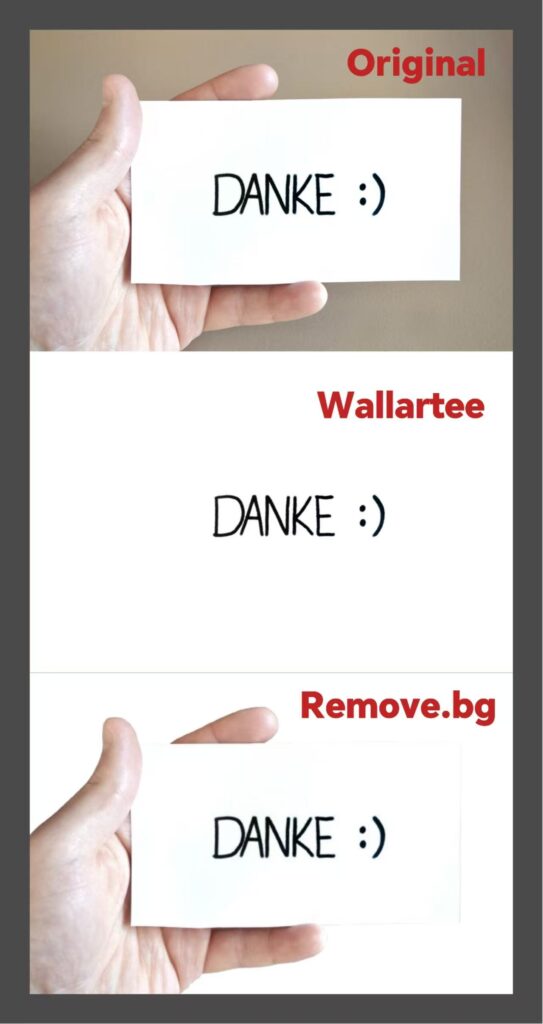
That is why a tool that works well for signatures on clean white paper may still struggle when the writing sits on a more complicated background. Public landing pages from remove.bg emphasize signature extraction, while other tools specifically frame the task as removing backgrounds from text images or handwriting, which reflects these different use cases.
Common use cases for removing background from handwriting
People usually need handwriting background removal for one of these reasons:
1. Creating a transparent signature
This is the most common use case. You write your signature on paper, photograph it, remove the paper background, and save it as a PNG for documents, forms, or branding. remove.bg explicitly positions its tool for this workflow.
2. Extracting handwritten text for design
Sometimes you want to place handwriting on a poster, social graphic, album cover, presentation, or website. In that case, you need transparent text with clean edges.
3. Preserving calligraphy for presentation
Calligraphy is not just text. It has stroke character, brush rhythm, ink density, and edge texture. If the extraction is too aggressive, it may look fake or over-cleaned.
4. Replacing the original background
After removing the background, you may want to place the text onto:
- a plain solid color
- textured paper
- a design mockup
- a certificate
- a framed artwork layout
- a portfolio or exhibition page
What to look for in a handwriting background remover
If your goal is only to create a simple signature PNG, many general tools may be enough. But if you want to remove the background from calligraphy or handwritten text photographed in more difficult conditions, you should look for these things:
Fine stroke retention
Can the tool keep hairline strokes, broken ink marks, and small brush details?
Clean edges without over-smoothing
Does the result still look like real handwriting, or does it become plastic, fuzzy, or artificially redrawn?
Better handling of complex backgrounds
Can it separate the text from textured paper, color variation, shadows, or visual clutter?
Transparent output for reuse
Can you place the result on a new background without ugly halos or leftover fragments?
Support for artistic text, not just office signatures
A signature remover and a calligraphy extractor are not always the same thing.
Remove background from handwriting: simple workflow
Here is a practical workflow that works well for most users.
Step 1: Start with the cleanest image possible
Use a high-resolution photo or scan. Good lighting helps. The cleaner the input, the better the extraction.
Step 2: Upload the image
Use a tool that can isolate handwritten text rather than only detect people or products.
Step 3: Check the difficult areas first
Zoom in and inspect:
- thin endings
- overlapping strokes
- faded ink
- corners and edges
- places where the background color is close to the text
Step 4: Export as transparent PNG
This gives you the most flexibility for reuse in documents, graphics, and presentations.
Step 5: Test the result on a dark and light background
This is the fastest way to spot bad edges, missed pixels, and leftover paper texture.
Signature removal vs calligraphy extraction
This distinction matters for both users and SEO.
A signature is usually short, isolated, and captured on a clean page. That is why remove.bg can confidently market “remove signature background” as a simple, fast workflow.
But calligraphy and handwritten artwork often involve:
- much more stroke detail
- textured or aged paper
- artistic variation in ink density
- more complicated backgrounds
- a need to preserve the natural character of the writing
So while “signature background remover” is an important keyword, it is not the whole market. There is also search demand around text background removal, handwriting extraction, and more design-oriented use cases, as shown by current tool pages targeting “remove background from text” and similar queries.
Why Wallartee fits this problem
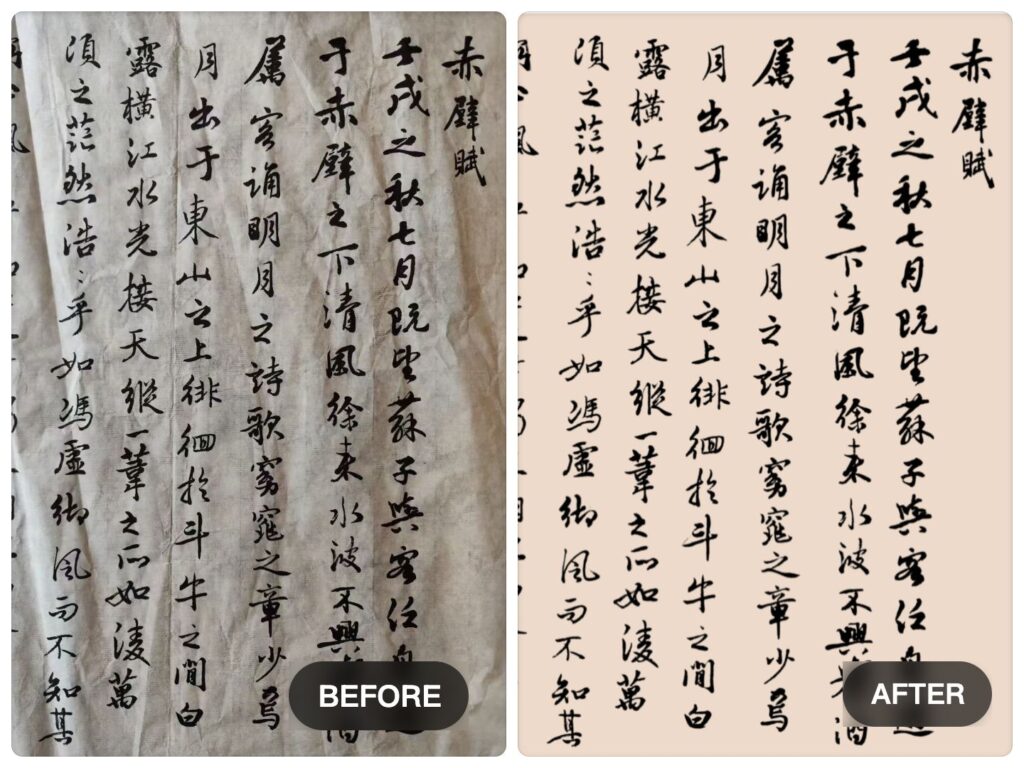
Wallartee is especially useful when your goal is not just to erase a background, but to extract text cleanly from a more difficult image.
That matters when you are working with:
- calligraphy
- brush lettering
- handwritten notes
- signatures with subtle stroke texture
- text photographed on colored, textured, or visually busy surfaces
Instead of treating the image like a generic cutout task, Wallartee is a better fit for users who care about the text itself: the strokes, the shape, the readability, and how the result looks when placed into a new visual context.
If your use case is simple signature cleanup, a general tool may be enough. But if you need cleaner extraction for handwritten text or calligraphy from a more complex background, Wallartee is the better direction.
Final thoughts
If you only need to remove the background from a clean signature, many tools can get you there.
But if you need to remove the background from handwriting, calligraphy, or text on a complex background, the problem changes. At that point, the real challenge is preserving stroke detail, maintaining clean edges, and extracting text in a way that still looks natural.
That is where Wallartee stands out.
It is not only about removing a background.
It is about extracting what actually matters: the writing.
FAQ
How do I remove background from handwriting?
Upload a clear image of the handwriting to a background removal tool, then export the result as a transparent PNG. For best results, inspect thin strokes, faded ink, and edge details before downloading.
Can I make handwriting transparent?
Yes. Once the background is removed, you can save the handwriting as a transparent PNG and place it on any design, document, or image background.
What is the difference between signature background removal and calligraphy background removal?
Signature removal is usually a simpler case because the writing is short and often placed on plain paper. Calligraphy background removal is harder because it may include fine strokes, textured paper, uneven lighting, or more complex visual noise. remove.bg publicly emphasizes signatures, while other tools also target broader text-removal scenarios.
What is the best format after removing the background from text?
PNG is usually the best choice because it supports transparency and is easy to reuse in design software, websites, and documents.
Can Wallartee remove background from calligraphy?
Yes. Wallartee is especially useful for extracting handwritten text and calligraphy from more complex backgrounds while keeping the writing cleaner and more reusable for presentation.
Leave a Reply